
System design copilot
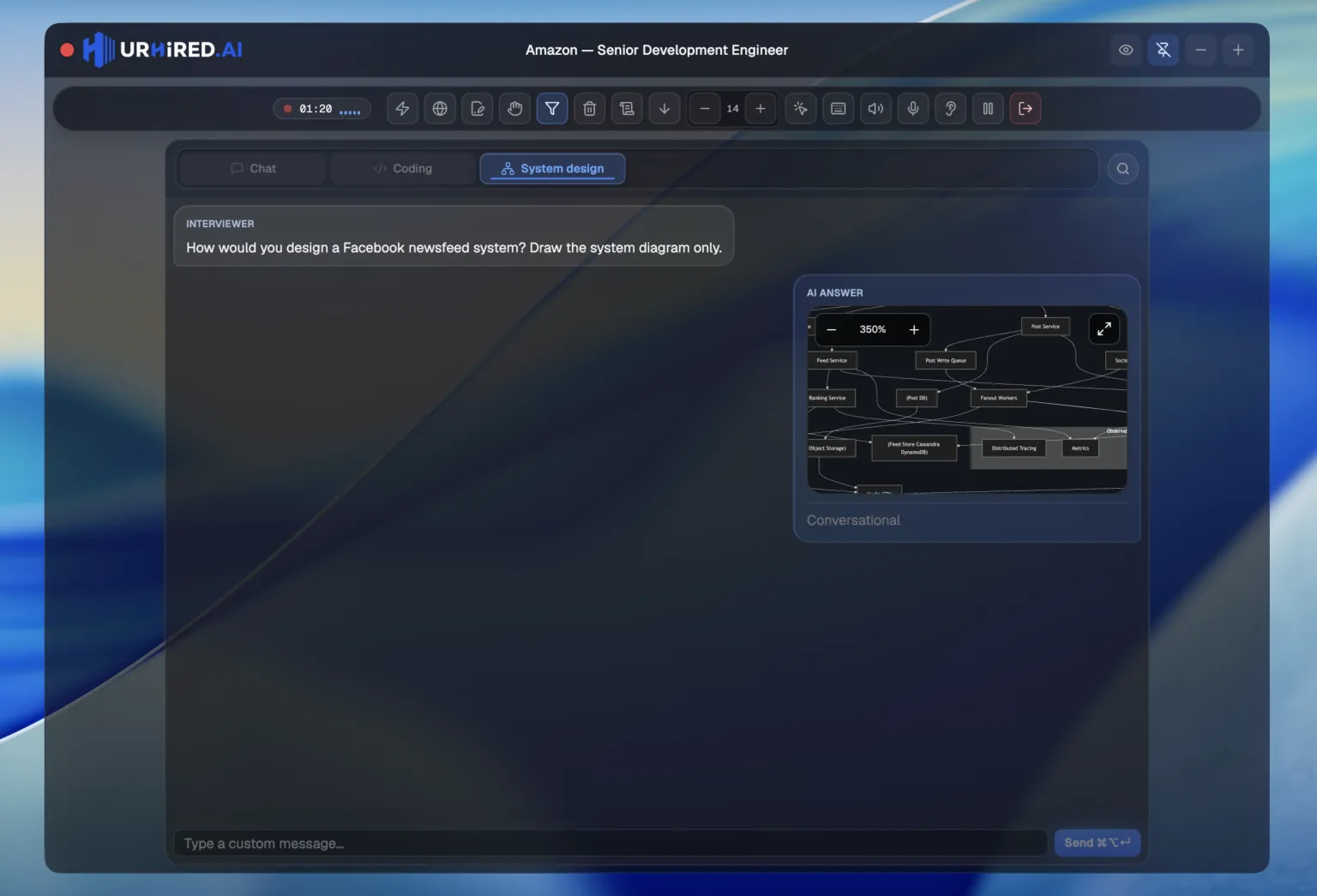
The system design surface returns a structured answer with a rendered architecture diagram inside the response.
What comes back
Every system design answer has the same four parts, so you always know where to look under pressure.
| Part | What it is |
|---|---|
| Overview | The shape of the solution in a paragraph you can say out loud. |
| Components | Every piece, listed, so you can walk the interviewer through in order. |
| Diagram | A rendered architecture diagram, in the answer itself. |
| Tradeoffs | What the design gives up, so you have a response ready when they push. |
How to actually use it
The diagram is scaffolding, not a script. The round is testing whether you can reason out loud about a system, so the best pattern is:
- 1
Read the component list
Get the shape of the solution in your head before you say anything. - 2
Redraw it in their tool
Whatever whiteboard the interviewer is using — draw it yourself, box by box, narrating as you go. - 3
Lead with tradeoffs
Bring up what the design gives up before they ask. That is the difference between a passing answer and a strong one.
Give this surface your best model
System design is the round where a reasoning model earns its extra seconds. In Settings → General, set the System design surface to GPT-6 Astra or Claude Opus 5.5, and keep something fast on verbal. Choosing models →