Coding copilot
The coding surface handles live algorithm rounds and technical screens across 18 programming languages.
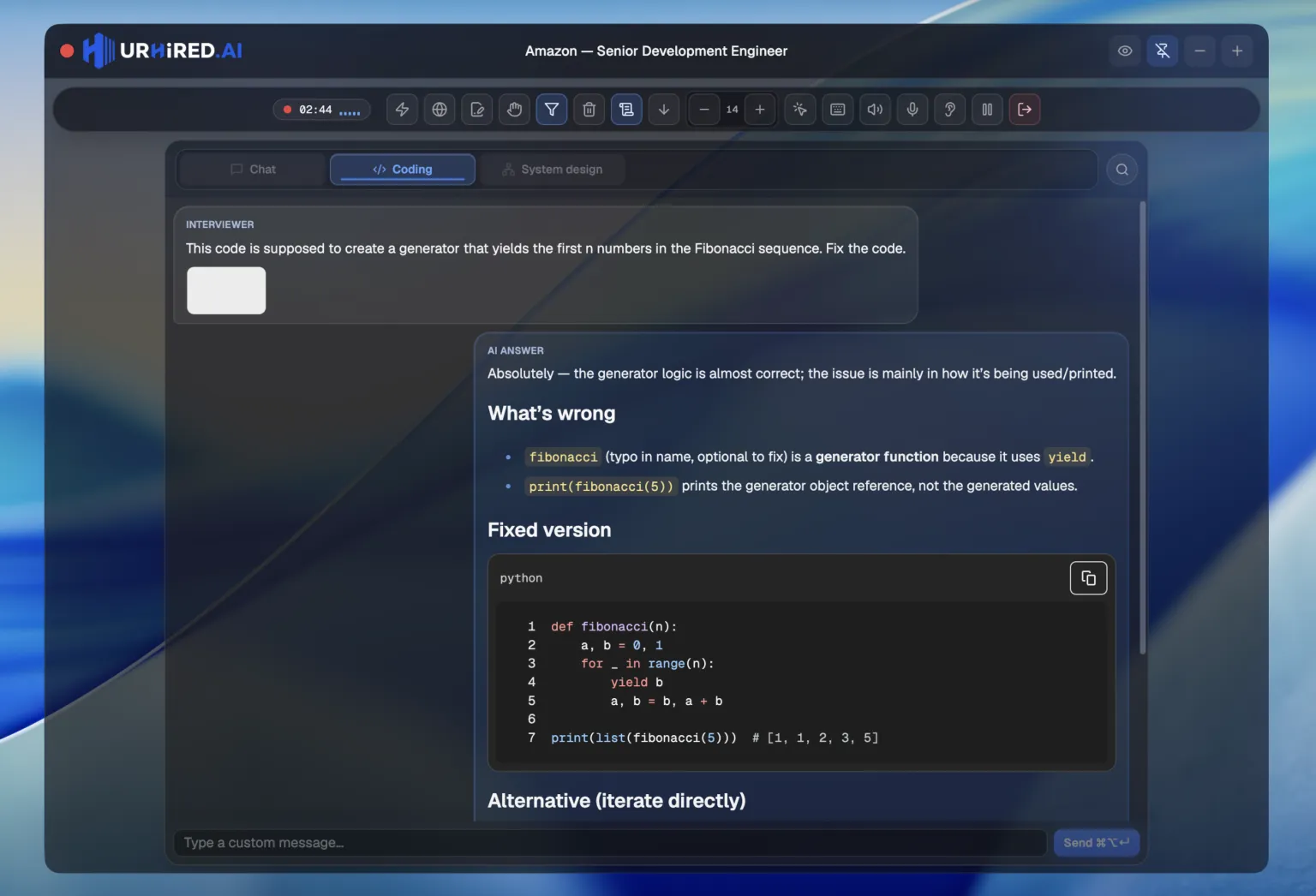
The workflow
- 1
Snip the problem
Press ⌘⌥A and drag over the problem statement. This captures the region, attaches it, and sends it in one action. - 2
Read the approach first
The response leads with a plain-English approach. That is the part you say out loud while you start typing. - 3
Work through the code
Solutions come back in your configured language with syntax highlighting. Type it rather than pasting — you want to be able to explain each line. - 4
Have the complexity ready
Time and space complexity come back with every solution, because it is the follow-up question every single time.
Languages
Set your language in the interview setup and it persists for the session.
CC#C++DartElixirGoJavaJavaScriptKotlinPHPPythonRRubyRustScalaSQLSwiftTypeScript
Where it works
Anywhere. Because the surface reads your screen rather than integrating with an editor, the platform underneath is irrelevant — CoderPad, HackerRank, CodeSignal, LeetCode, Codility, HackerEarth, a shared Google Doc, or the interviewer's own tool.
Try Hints mode for take-homes
On an untimed take-home, switch the answer style to Hints. You get unblocked without handing in code you cannot defend in the follow-up review.