Keyboard shortcuts
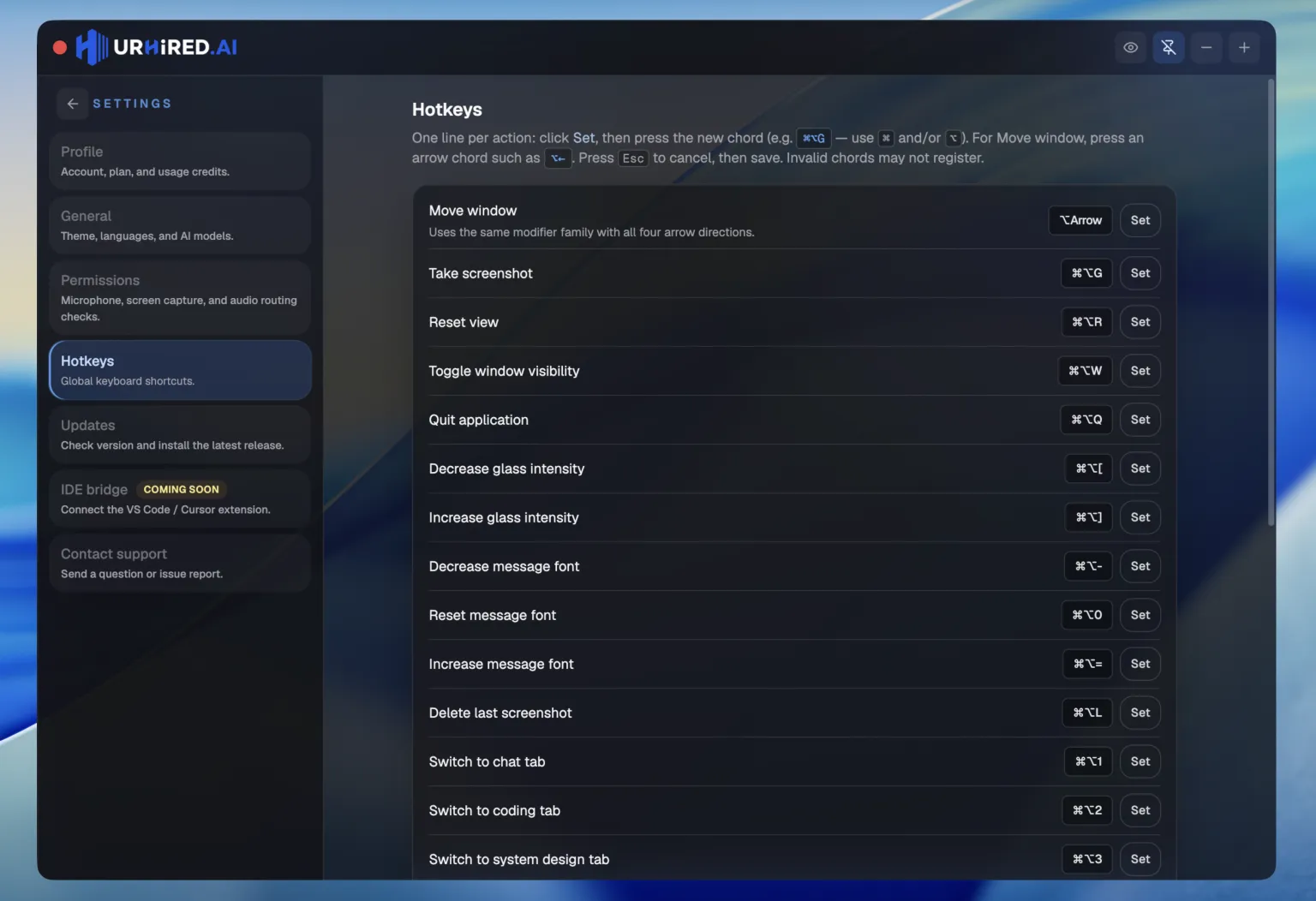
Every global shortcut, with its default binding. All of them are remappable in Settings → Hotkeys.
Reading the table
⌘ is Command on macOS and Control on Windows and Linux. ⌥ is Option / Alt. ⇧ is Shift.
The five to learn first
| Shortcut | Action |
|---|---|
| ⌘⌥W | Hide or show the window — the one to learn first |
| ⌘⌥A | Capture a region, attach it, and send it to the assistant |
| ⌘⌥M | Toggle click-through |
| ⌘⌥. | Append the latest transcript line to your draft |
| ⌘⌥↵ | Send the draft to the assistant |
Switching surfaces
| Shortcut | Action |
|---|---|
| ⌘⌥1 | Focus the verbal surface and show the window |
| ⌘⌥2 | Focus the coding surface and show the window |
| ⌘⌥3 | Focus the system design surface and show the window |
When the window already has focus, the shorter ⌘1 / ⌘2 / ⌘3 do the same thing.
Capture and copy text
| Shortcut | Action |
|---|---|
| ⌘⌥G | Capture a screen region and attach it to the draft |
| ⌘⌥A | Analyze a screen region — capture, attach, and send |
| ⌘⌥O | Copy text from a screen region to your clipboard |
| ⌘⌥L | Delete the most recent capture |
Draft and transcript
| Shortcut | Action |
|---|---|
| ⌘⌥. | Append the latest transcript chunk to the draft |
| ⌘⌥↵ | Send the draft and any attached screenshots |
| ⌘⌥, | Clear the draft text, keeping attached screenshots |
| ⌘⌥V | Append clipboard text to the draft |
Window and visibility
| Shortcut | Action |
|---|---|
| ⌘⌥W | Show or hide the main window |
| ⌘⌥M | Toggle click-through on the overlay |
| ⌘⌥T | Type into the draft while click-through is on, then hand the keys back |
| ⌘⌥[ | Decrease opacity — more transparent |
| ⌘⌥] | Increase opacity — more opaque |
| ⌘⌥J | Move the window left |
| ⌘⌥K | Move the window right |
| ⌘⌥X | Move the window down |
| ⌘⌥P | Move the window up |
View
| Shortcut | Action |
|---|---|
| ⌘⌥= | Increase message font |
| ⌘⌥- | Decrease message font |
| ⌘⌥0 | Reset message font to default |
| ⌘⌥⇞ | Scroll the focused panel up |
| ⌘⌥⇟ | Scroll the focused panel down |
Session
| Shortcut | Action |
|---|---|
| ⌘⌥R | Reset view — cancel requests, clear queues, reset the UI |
| ⌘⌥B | Toggle web search for the active surface, where the model supports it |
| ⌘⌥Q | Quit the application |
Remapping
Open Settings → Hotkeys, click the binding you want to change, and press the new combination. Every action above can be rebound.
Watch for conflicts
These are global shortcuts — they fire regardless of which app has focus. If one collides with something your OS or another app already uses, rebind it here rather than fighting the conflict mid-interview.